
Better Blog Featured Images From the Photos You Already Own
Blog featured images do a lot of quiet work. They appear at the top of the post, in search results, in social previews and in related-article grids. A sharp, well-composed image makes readers more likely to click. A blurry or awkwardly cropped one makes even a great article look rushed.
Many bloggers fall back on generic stock photos because their own pictures do not quite fit. They are slightly soft, or shot vertically when the blog needs a wide header. With a little help from AI, the photos you already own can become distinctive featured images that no other site has.
Why your own photos are worth the effort
Original images give a blog personality. Readers recognise your kitchen, your workshop, your travels or your product. Original photos also help avoid the same overused stock pictures that appear on hundreds of competing posts. And they show readers that a real person did the work behind the article.
The challenge is simply technical: quality and shape. AI can help with both.
Step one: improve clarity
Featured images are displayed at different sizes, sometimes large at the top of a post and sometimes small in a sidebar. Soft focus and grain show up badly when the image is stretched across a wide header.
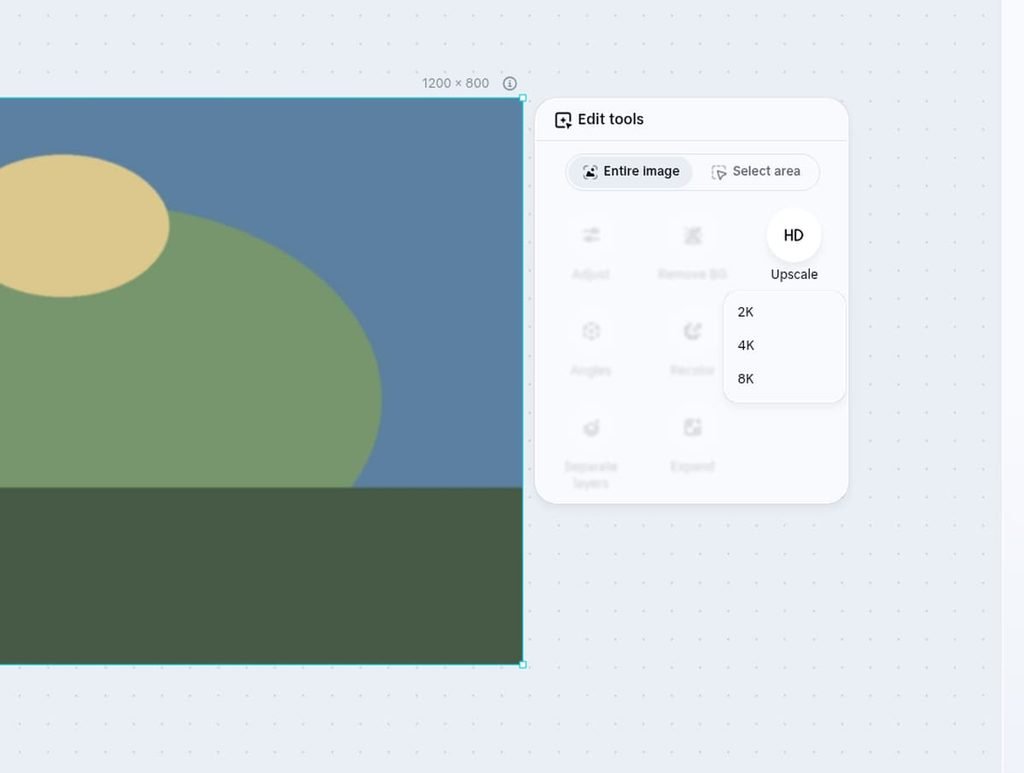
Start by using a tool that can bring out detail in an existing photo. A good enhancer works on the image you already have, aiming for crisper edges, cleaner noise and more balanced colour while keeping the subject the same. Upload the best original you have, apply one enhancement and compare the result with the source at full size.
Watch for signs of overprocessing: halos around edges, waxy-looking food or skin and warped text on packaging or signs. If you see them, step back to a lighter setting.
Step two: fix the shape
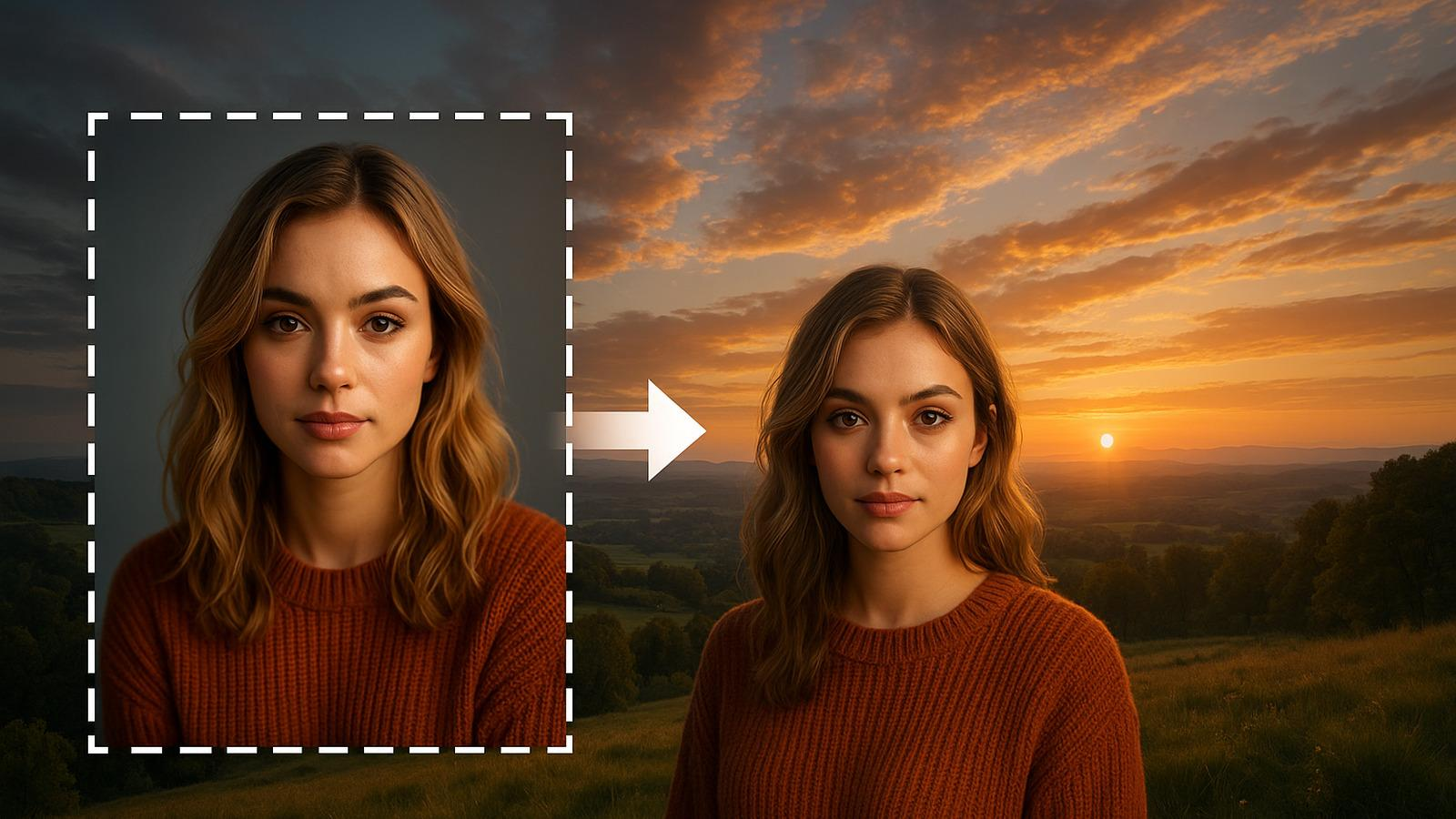
Most blog themes use wide featured images, often close to a 16:9 or similar landscape ratio. If your best photo is vertical or tightly cropped, cropping it into a wide frame will cut off the subject.
Instead, you can extend a photo for a new aspect ratio with AI outpainting. The tool keeps your original pixels untouched and generates new background around them, matching the light and texture. A close-up of a coffee cup can gain more of the table. A vertical portrait can gain space on either side for a balanced header.
Tips for a clean extension
- Set the canvas to your theme’s featured image ratio before you start.
- Place the subject where you want it, often slightly off-centre for a more dynamic look.
- Describe the new space as a continuation of the scene, such as “more of the wooden table”.
- Generate a few options and choose the most natural.
- Extend slightly wider than you need, so you can trim a rough edge.
- Inspect the seam at full size before exporting.
Plan for social previews and grids
Featured images are often cropped automatically by social networks and theme layouts. Keep the main subject near the centre with a little breathing room, and avoid placing important details right at the edges. If you add a title on the image, keep it short and away from the edges too. Before publishing, share a test link privately or use a preview tool to see how the image looks when the post is shared, then adjust the crop if needed.
Keep files light and fast
Large images slow down pages, and page speed affects both readers and search visibility. Export at a size that suits your theme’s display width, and use a sensible JPG quality setting for photos. Keep a larger master on your computer for future use.
Do not forget alt text. Describe what the image shows in a natural sentence. It helps readers using screen readers and gives search engines useful context.
A featured image routine
- Choose an original photo that matches the post.
- Save an untouched copy.
- Enhance gently to bring out detail.
- Extend to the featured image ratio if needed.
- Check the seam and details at full size.
- Export at the right size and compress sensibly.
- Add descriptive alt text.
Frequently asked questions
What size should a blog featured image be?
It depends on your theme. Check the recommended dimensions and export at that size or slightly larger.
Can I use AI-extended photos as featured images?
Yes. As long as the original subject is unchanged and the extension looks natural, it works well for wide headers.
Is it better to use stock photos or my own?
Your own photos make a blog more distinctive and trustworthy. AI can help them meet the quality and size that featured images need.
Final thoughts
Your own photos can make far better blog featured images than generic stock. Bring out detail gently, extend tight shots to fit wide formats, keep files light and write useful alt text. Readers will notice the difference, even if they cannot say exactly why, and your posts will stand out in feeds and search results.